室內機:
準確度:大概還好
(1) 使用 USB 連接 PC 個人電腦,執行 Easyweather.exe 程式,
可以將氣象資料上傳 Wunderground 網站。
(2) 使用 USB 連接 Raspberry Pi 樹莓派,執行 weewx 程式,
可以將氣象資料上傳 Wunderground 網站。
weewx for Raspberry Pi
WeeWX: Installation on Debian-based systems


This is a guide to installing WeeWX from a DEB package on Debian-based systems, including Ubuntu, Mint, and Raspbian.
Configure apt
Tell apt where to find the WeeWX releases. This only has to be done once - the first time you install WeeWX.
Tell your system to trust weewx.com:wget -qO - https://weewx.com/keys.html | sudo apt-key add -
For Debian10 and later, use python3:wget -qO - https://weewx.com/apt/weewx-python3.list | sudo tee /etc/apt/sources.list.d/weewx.list
For Debian9 and earlier, use python2:wget -qO - https://weewx.com/apt/weewx-python2.list | sudo tee /etc/apt/sources.list.d/weewx.list
Install
Use apt-get to install WeeWX. The installer will prompt for a location, latitude/longitude, altitude, station type, and parameters specific to your station hardware.
sudo apt-get update
sudo apt-get install weewx
When you are done, WeeWX will be running in the background as a daemon.
Status
To make sure things are running properly look in the system log for messages from WeeWX.
sudo tail -f /var/log/syslog
Verify
After about 5 minutes, open the station web page in a web browser. You should see your station information and data. If your hardware supports hardware archiving, then how long you wait will depend on the archive interval set in your hardware.
file:///var/www/html/weewx/index.html
Customize
To enable uploads such as Weather Underground or to customize reports, modify the configuration file /etc/weewx/weewx.conf. See the User Guide and Customization Guide for details.
WeeWX must be restarted for configuration file changes to take effect.
Start/Stop
To start/stop WeeWX:
sudo /etc/init.d/weewx start
sudo /etc/init.d/weewx stop
Uninstall
To uninstall WeeWX but retain configuration files and data:
sudo apt-get remove weewx
To uninstall WeeWX, removing configuration files but retaining data:
sudo apt-get purge weewx
To remove data:
sudo rm -r /var/lib/weewx
sudo rm -r /var/www/html/weewx
Layout
The installation will result in the following layout:
| executable: | /usr/bin/weewxd |
| configuration file: | /etc/weewx/weewx.conf |
| skins and templates: | /etc/weewx/skins |
| sqlite databases: | /var/lib/weewx/ |
| generated web pages and images: | /var/www/html/weewx/ |
| documentation: | /usr/share/doc/weewx/ |
| examples: | /usr/share/doc/weewx/examples/ |
| utilities: | /usr/bin/wee_*
|
weewx_安裝步驟 (20171201)
(1)PC端下載 Raspbian 系統檔
https://www.raspberrypi.org/downloads/raspbian/
2017-09-07-raspbian-stretch.zip
解壓縮得到
2017-09-07-raspbian-stretch.img
(2)寫入 microSD 卡
下載 SD card formatter 這個程式能將 microSD 卡或 USB 隨身碟 格式化
下載 Win32 disk imager 這個程式能將 *.img 檔寫到 microSD 卡或 USB 隨身碟
將 2017-09-07-raspbian-stretch.img 檔寫到 microSD 卡
(3)樹莓派開機
Raspberry Pi 3 與外殼組裝完畢
接上 HDMI線,接上監視器
接上 USB滑鼠與鍵盤
若有網路線,接上網路線
接上 5V 2A電源《開機》
(4)調整樹莓派
由監視器觀察開機是否正常開機至視窗出現
按鈕《樹莓》-> Preference -> Raspberry Pi Configuration
按鈕《網路》查看有線網路或無線網路是否正常連線
按鈕《Terminal》
ifconfig 指令看有線網路或無線網路是否正常連線
(5) 修改無線網路設定:(新版樹莓派,直接在桌面右上方按鍵設定)
sudo nano /etc/network/interfaces
加入
auto lo
iface lo inet loopback
iface eth0 inet manual
allow-hotplug wlan0
iface wlan0 inet manual
wpa-conf /etc/wpa_supplicant/wpa_supplicant.conf
allow-hotplug wlan1
iface wlan1 inet manual
wpa-conf /etc/wpa_supplicant/wpa_supplicant.conf
^o 存檔 ^x 退出
sudo nano /etc/wpa_supplicant/wpa_supplicant.conf
加入
network={
ssid="無線HUB名稱"
psk="無線HUB密碼"
}
sudo reboot (重開機)
(5)安裝 weewx
http://www.weewx.com/docs/debian.htm
(需注意 python 是 2.7版 或是3.6版?)
wget -qO - http://weewx.com/keys.html | sudo apt-key add -
wget -qO - http://weewx.com/apt/weewx.list | sudo tee /etc/apt/sources.list.d/weewx.list
sudo apt-get update
sudo apt-get install weewx
(6) 修改 weewx.conf 檔
sudo nano /etc/weewx/weewx.conf
輸入 城市名、經緯度、海拔高度、氣象站品牌 (FineOffsetUSB)、型號 (WS2080)
[[Wunderground]]
enable = True
station = INEWTAIP4
password = xy1234ab
^o (存檔)
^x (跳出)
sudo halt
(7) 插入 氣象站平板 USB線
插電重開機


Wunderground Weather Wundermap
進入 Wunderground 網站,點選 WunderMap
拉動與縮放地圖,即可看到 個人氣象站的 圖示與訊息:
參看:
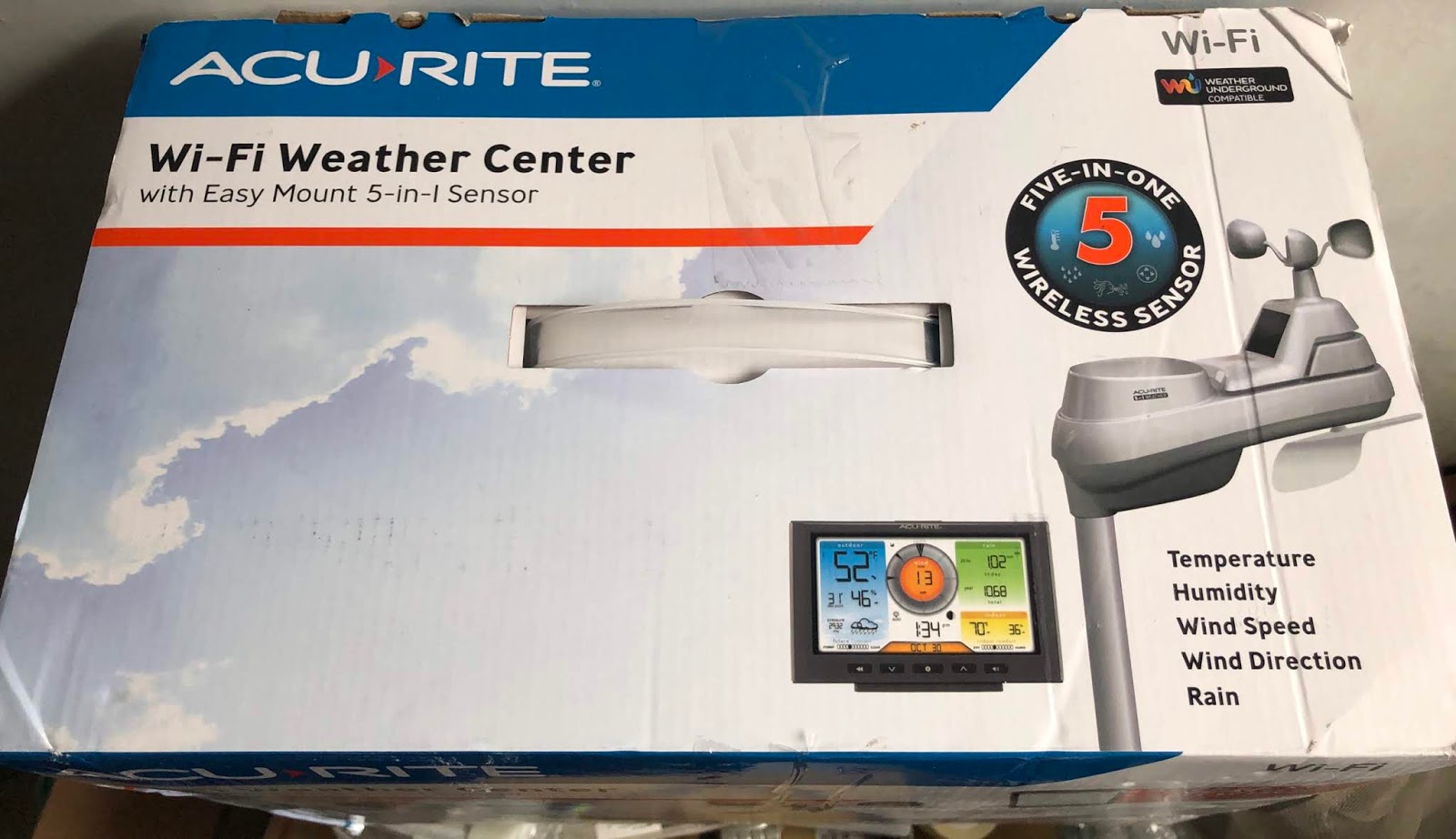
個人氣象站 AcuRite 01540M 5合1 開箱文 2020-02
2021-02-10
2021-06-26